Manage Linux servers over SSH — in one window
SSHDesk is a desktop app for Linux, Windows and macOS: terminal, file manager, load monitoring, Docker, Firewall, SQL console and logs. A plain SSH connection — nothing to install on the server.
Signing up takes a minute. The Basic plan is available right after.
Runs on top of plain SSH
No agents, panels or daemons on the server — just standard Linux commands
- ssh
- sftp
- docker
- ufw
- systemd
- mysql
- postgresql
What SSHDesk can do
Everything you need for daily VPS work, without a dozen separate tools
SSH + diagnostics
Fast connections and clear messages when something's wrong: a closed port, a firewall, bad credentials.
Monitoring
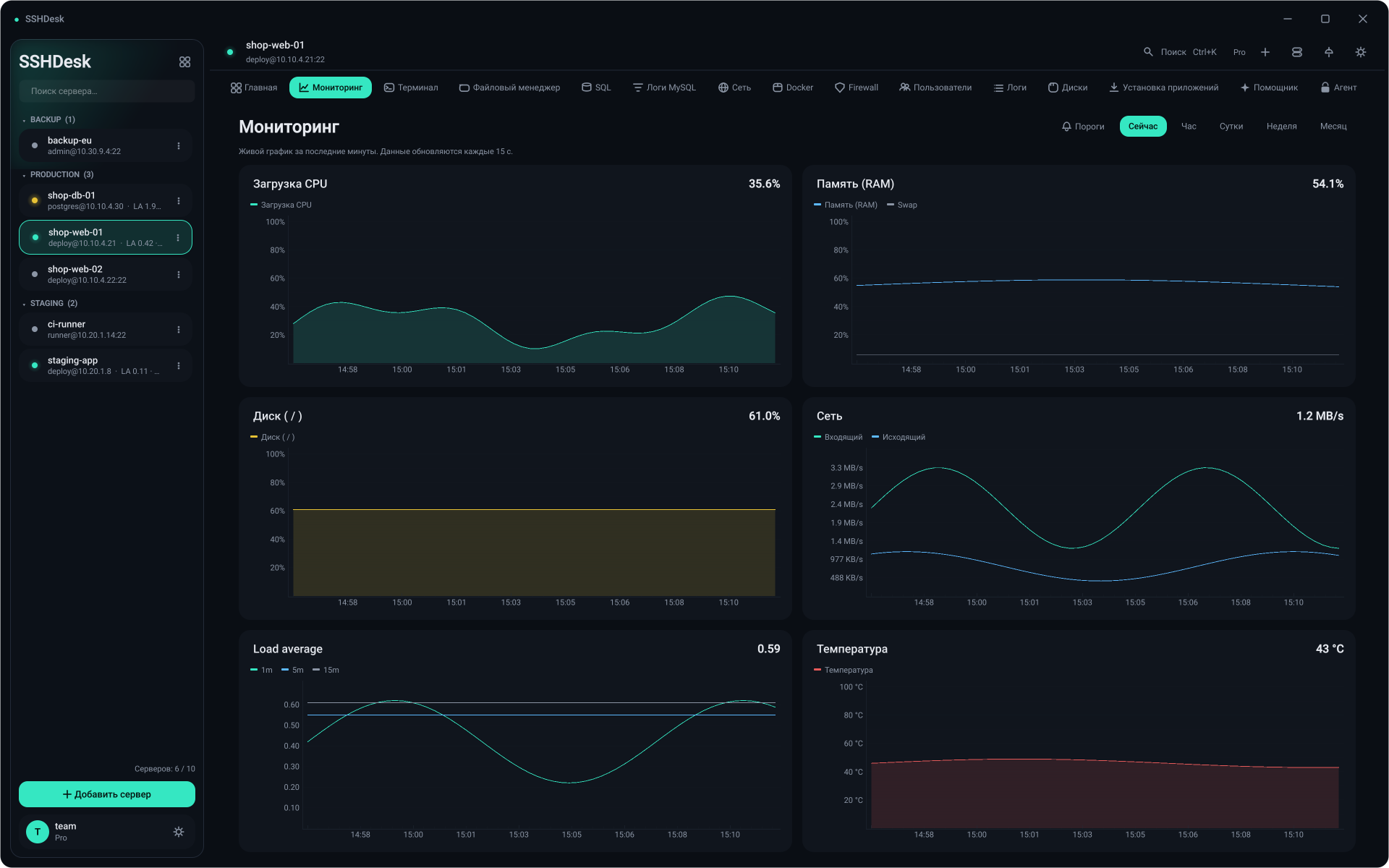
CPU, RAM, disk, uptime and server temperature in real time.
File manager
Your computer and the server side by side, drag files between the panes.
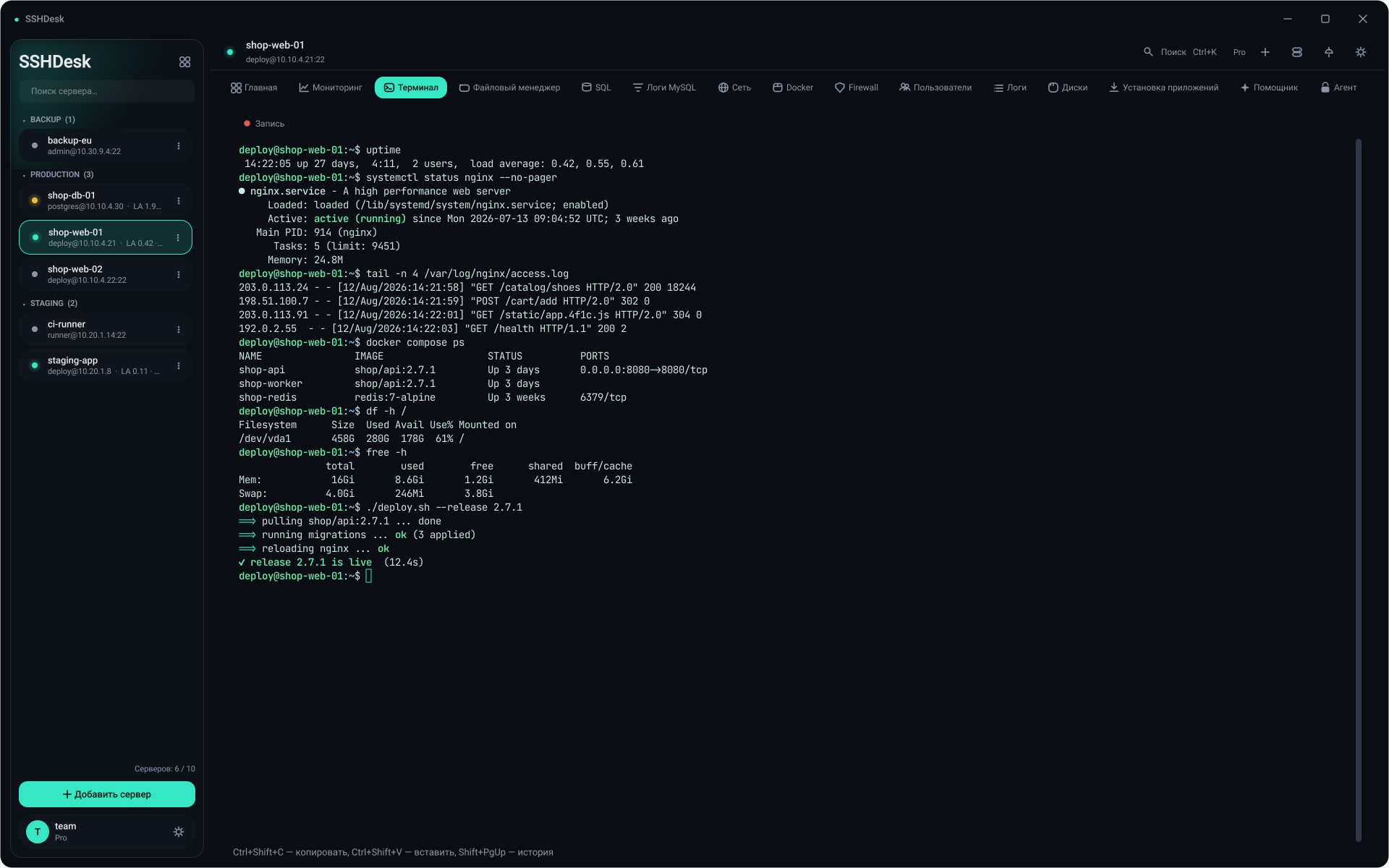
Terminal
A full interactive session right inside the app.
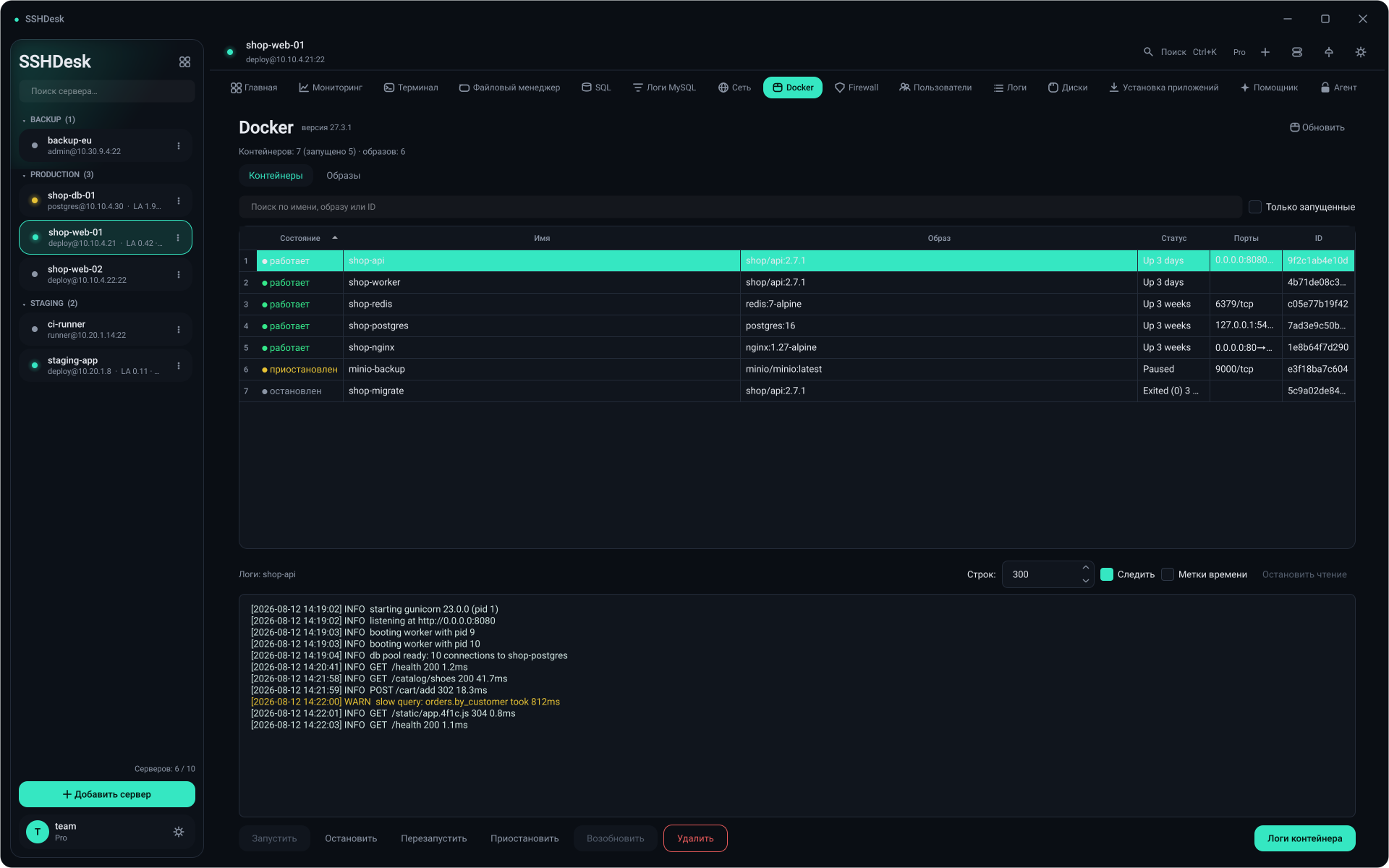
Docker / Firewall / Users
Manage containers, ufw rules and accounts without typing commands by hand.
SQL console
MySQL/PostgreSQL over a secure SSH tunnel — no need to expose the database.
Demo
Real screens from the app — click a screenshot to open it full size



Pricing
Basic is free and available right after you sign up. For Pro and Business, send a request — I'll get in touch and enable the plan manually.
Pro
Popular- Up to 10 servers
- SQL console
- Docker / Firewall / Users / Logs
Online payments aren't set up yet: after your request the plan is enabled manually.
Try SSHDesk on your own server
Download the app, sign up and connect to your first server in a couple of minutes.